

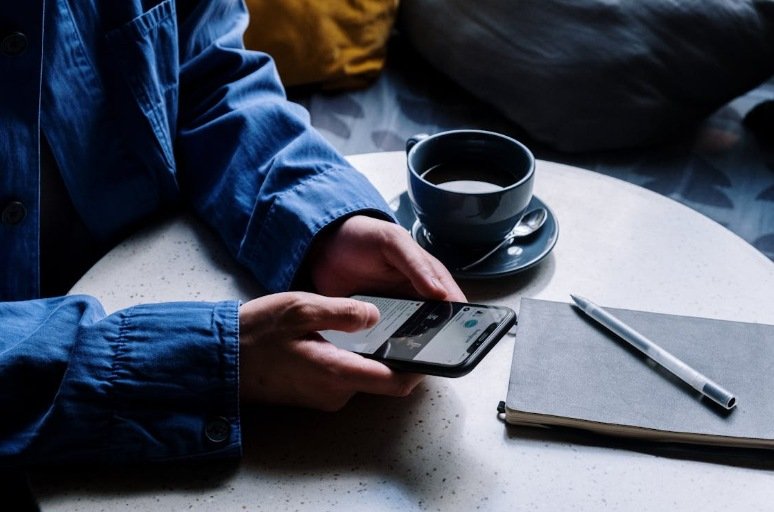
Screens sit close to almost everything people do during the day. Work messages appear on laptops, news and updates arrive on phones, and entertainment waits on streaming apps. None of this is unusual anymore. Digital tools help people communicate, plan, and complete tasks faster. The difficulty begins when screens quietly fill every gap in the day without anyone really noticing.
Finding balance does not require removing technology from life. Most people rely on it for work and daily tasks. Small choices, such as beginning the morning without checking notifications or setting aside time for offline activities, can create natural boundaries between digital time and everyday routines.
Many of these habits are already close to existing routines. Breakfast, time outdoors, or an evening hobby can become moments where devices are not the main focus.
Starting the Day Without Immediate Screen Use
Reaching for a phone immediately after waking up has become a common habit. Messages, alerts, and updates appear within seconds, and attention quickly moves toward emails or social media. Beginning the morning this way can pull the mind into digital tasks before the day has properly started. A slower start can feel different. Setting the phone aside for a short period after waking up allows the morning to unfold at a steady pace.
This quiet window can be used for simple routines such as preparing breakfast, opening a window, or sitting at the table for a few minutes before beginning work. Some people take this time to organize their thoughts for the day or enjoy a calm meal without notifications appearing on the screen. A few also include personal wellness habits during this part of the morning. For example, certain individuals take supplements alongside breakfast as part of their balanced routine. Products from USANA Health Sciences are one option some people include in that routine. In these cases, supplements sit alongside normal meals rather than taking the place of food.
When the morning begins this way, the phone eventually comes back into use once the day officially starts. Emails can be checked, messages answered, and tasks handled without the feeling that the day began in the middle of a stream of notifications.
Creating Defined Screen-Free Spaces at Home
Phones and laptops often move from room to room without much thought. A phone might rest on the kitchen counter during cooking, then appear again at the dining table or the couch. After a while, screens become present during almost every activity. Creating a few screen-free spaces inside the home can quietly change that pattern.
Many people choose places such as the dining table, kitchen island, or reading corner for this purpose. In those areas, devices are placed somewhere else before sitting down. Meals happen without phones nearby, and certain spaces become associated with conversation or quiet time rather than scrolling.
Organizing Work and Personal Devices Separately
Using the same device for work and personal life can make the day feel tangled. Work emails may arrive late in the evening, while personal notifications appear during meetings or tasks. When everything flows through the same screen, it becomes difficult to separate professional responsibilities from personal time.
Some people handle this by organizing devices differently. Work may stay on one laptop or account while personal apps stay on another. Others turn off work notifications after finishing for the day or keep a work device in a specific place rather than carrying it around the house.
Incorporating Offline Activities into Daily Routines

A large part of the day can pass while looking at screens, especially when work also takes place on a computer. Offline activities provide a natural contrast to that pattern. Reading a physical book, cooking a meal, sketching, gardening, or organizing a room are simple examples of things that do not require a device.
Including these activities in the day does not require major planning. Many people already cook dinner, tidy the house, or spend time on hobbies in the evening. Treating those moments as device-free activities allows attention to stay on the task itself.
Planning Device-Free Outdoor Time
Spending time outside often brings a natural pause from screens. Walking through a neighborhood, sitting in a park, or taking a short trip outdoors can shift attention away from devices for a while. Many people find that leaving the phone behind or keeping it in a pocket without checking it allows the experience to feel more present.
A short walk after work, a visit to a nearby green space, or simply sitting outside for a few minutes can create that break. These moments become easier to maintain when they happen regularly. Gradually, they form part of the daily routine, offering a simple way to step away from screens for a while before returning to digital tasks later.
Creating Family Agreements Around Screen Use
Many people notice that screen habits become easier to manage when expectations are discussed openly. Instead of reacting to devices constantly appearing during conversations, meals, or shared activities, some households decide on simple agreements about when screens are used and when they are set aside. These agreements do not need to be strict rules. They help everyone understand which moments of the day are meant for interaction rather than scrolling.
For example, some people prefer that devices remain away during meals or shared evening time. Others decide that certain hours in the evening are quieter periods without phones or laptops.
Keeping Bedrooms Mostly Screen-Free
Bedrooms often become places where phones and laptops stay within reach at all times. Messages, videos, and scrolling can easily continue late into the night simply because the device is nearby. Removing or limiting screens in sleeping areas can create a different atmosphere in that space.
Some people choose to charge their phone in another room or on a desk instead of keeping it beside the bed. Others keep devices away from the bed itself and use the bedroom mainly for rest and quiet activities such as reading.
Replacing Some Online Entertainment with Creative Activities
Streaming videos and browsing online platforms can fill large blocks of free time without much effort. While these activities are common forms of relaxation, they are not the only ways to spend free time. Creative activities offer another option that does not involve screens.
Drawing, writing, playing music, building something by hand, or working on crafts can bring a different type of focus. These activities invite people to concentrate on what they are creating rather than on constant updates from a device. Even setting aside a short period during the week for creative work can add variety to the routine and provide time away from digital platforms.
Technology remains part of modern life, and most people rely on digital tools every day. Balance comes from deciding where those tools belong within the routine. Instead of trying to remove technology completely, minor adjustments allow people to use it with intention while still making space for everyday life beyond the screen.
Conclusion
Digital tools are now woven into everyday routines, making it unrealistic to avoid them entirely. The goal is not to disconnect completely, but to use technology with awareness and intention. Small, consistent habits such as starting the day without screens, creating device-free spaces, and prioritizing offline activities help restore balance without disrupting daily responsibilities. Over time, these choices support better focus, improved sleep, and a stronger connection to real-world experiences. By shaping when and how screens are used, individuals can maintain the benefits of digital life while protecting their overall well-being.
References
- Przybylski, A. K., & Weinstein, N. (2017). A large-scale test of the Goldilocks hypothesis: Quantifying the relations between digital-screen use and the mental well-being of adolescents. Psychological Science, 28(2), 204–215. DOI: https://doi.org/10.1177/0956797616678438
- Exelmans, L., & Van den Bulck, J. (2016). Bedtime mobile phone use and sleep in adults. Social Science & Medicine, 148, 93–101. DOI: https://doi.org/10.1016/j.socscimed.2015.11.037
- Cain, N., & Gradisar, M. (2010). Electronic media use and sleep in school-aged children and adolescents. Sleep Medicine, 11(8), 735–742. DOI: https://doi.org/10.1016/j.sleep.2010.02.006
- Kushlev, K., Proulx, J., & Dunn, E. W. (2016). “Silence your phones”: Smartphone notifications increase inattention and hyperactivity symptoms. Proceedings of the SIGCHI Conference on Human Factors in Computing Systems. DOI: https://doi.org/10.1145/2858036.2858359
- Thomée, S. (2018). Mobile phone use and mental health: A review of the research that takes a psychological perspective on exposure. International Journal of Environmental Research and Public Health, 15(12), 2692. DOI: https://doi.org/10.3390/ijerph15122692