

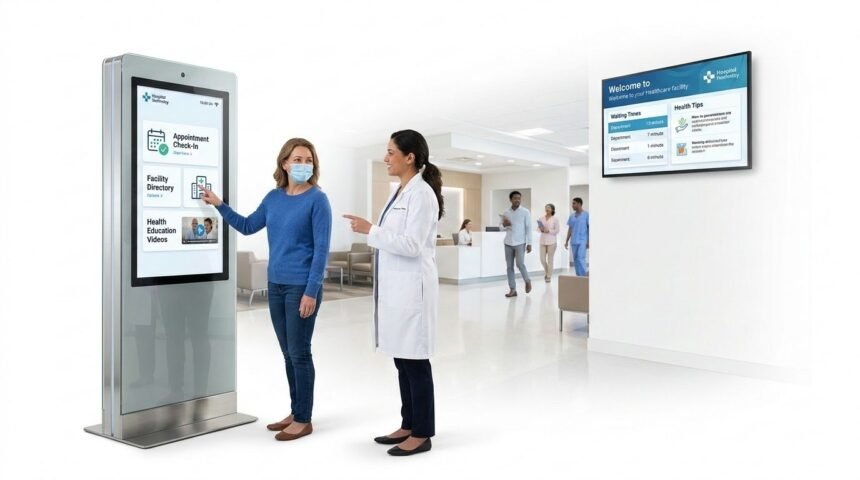
Modern healthcare is evolving rapidly to meet the growing expectations of patients, staff, and administrators. Hospitals and clinics are under increasing pressure to deliver faster, more efficient, and patient-centred care while managing limited resources. Long waiting times, complex facility layouts, and administrative bottlenecks not only frustrate patients but also contribute to staff burnout and operational inefficiencies.
To address these challenges, healthcare facilities are increasingly turning to digital solutions, particularly digital signage and self-service kiosks. These technologies streamline administrative tasks, improve patient navigation, provide real-time information, and enhance communication across departments. By automating routine processes and offering interactive, accessible interfaces, hospitals can significantly reduce wait times, improve patient satisfaction, and free staff to focus on direct care.
In this guide, we explore how comprehensive healthcare digital signage solutions and self-service kiosks are being implemented in healthcare environments, the benefits they bring, and the ways they are shaping the future of smart, connected hospitals. Whether you are a patient, healthcare professional, or administrator, understanding these technologies is essential for navigating the modern healthcare experience efficiently and effectively.
Why Hospitals Are Investing in Digital Technology
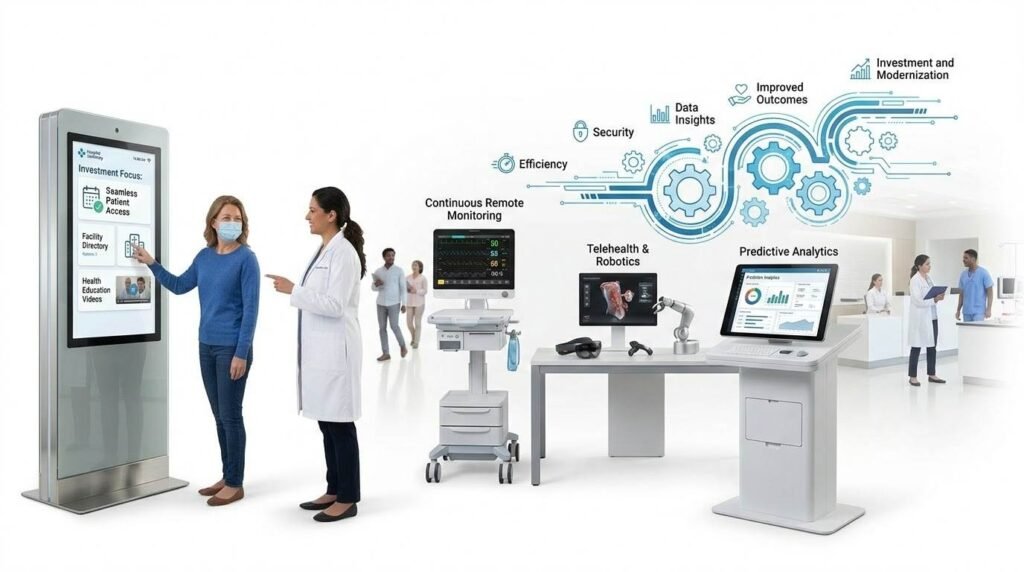
Modern healthcare facilities are under growing pressure to deliver faster, more efficient, and more patient-centred care with often constrained resources. Long waiting times, overcrowded reception areas, complex building layouts, and fragmented administrative processes create frustration for patients and burnout for staff. These are not minor inconveniences. They are systemic barriers that affect clinical outcomes, patient safety, and the financial sustainability of health services.
Digital technologies, specifically digital signage and self-service kiosks, have emerged as practical, scalable solutions to many of these challenges. They automate routine administrative tasks, deliver real-time information, simplify navigation, and free staff to focus on direct patient care. Hospitals and clinics that have deployed these systems report measurable improvements in check-in times, queue management, patient satisfaction, and operational efficiency.
This guide explains how these technologies work, what benefits they deliver, what challenges they address, and what the future of smart healthcare environments looks like. Whether you are a patient trying to understand the technology you encounter at your hospital, a practice manager evaluating solutions for your facility, or a healthcare administrator building an investment case, this guide covers the essentials.
Key fact: A 2022 survey by Accenture found that 63 percent of patients rate digital check-in and self-service tools as important factors in their overall healthcare experience. Facilities that implement these technologies consistently report higher patient satisfaction scores and shorter perceived waiting times.
Real Operational Challenges Facing Healthcare Facilities Today
To understand why these technologies matter, it helps to understand the specific problems they are solving. Healthcare administrators and frontline staff deal with a consistent set of operational challenges that compound over time.
Excessive administrative burden at the front desk
Reception and admissions staff are typically required to handle check-ins, answer questions, manage appointment schedules, verify insurance, process payments, and handle ad hoc patient inquiries simultaneously. This multitasking environment is not just inefficient. It increases the risk of errors in data entry, patient identification, and appointment recording. Errors at this stage can cascade into downstream problems, including billing disputes, misallocated appointments, and delays in care.
Long waiting times and poor queue visibility
Patients who arrive on time for appointments frequently face waits of 30 minutes or more before being seen. A significant driver of this is the registration and check-in process itself. Manual check-in, particularly in high-volume outpatient departments, creates queues that grow unpredictably. Without real-time visibility into queue status, patients are left waiting with no information about how long they will be delayed, which increases anxiety and dissatisfaction even when the underlying wait time is unavoidable.
Navigation difficulties in complex hospital environments
Large hospitals are among the most complex built environments that many people ever need to navigate. Multiple buildings, departments spread across different floors, similarly named clinical areas, and frequent layout changes create genuine wayfinding challenges for patients, particularly those who are elderly, visually impaired, experiencing cognitive difficulties, or are first-time visitors to the facility. Missed appointments, late arrivals, and avoidable staff interruptions for directions are direct consequences of inadequate wayfinding support.
Communication gaps between departments
When patient information does not flow efficiently between departments, the consequences are significant. Duplicated registration processes, inconsistent patient records, delays in transferring test results or notes, and staff reliance on telephone or paper-based coordination all slow patient throughput and increase the risk of clinical errors. Many of these gaps exist because administrative systems in different departments operate in isolation rather than as part of an integrated information architecture.
Real-world impact: In a study published in the Journal of General Internal Medicine, administrative tasks, including check-in, registration, and documentation, accounted for more than 27 percent of total clinical visit time, reducing the proportion of time available for direct patient care.
Digital signage in healthcare environments is significantly more sophisticated than the static screens that display welcome messages or general health tips. Modern healthcare digital signage systems are integrated, data-driven communication platforms that serve multiple clinical and operational functions simultaneously.
Real-time queue management and waiting time displays
Digital queue management screens in waiting areas give patients live visibility into their position in the queue, estimated waiting times, and notifications about delays or changes in sequencing. This single intervention addresses one of the most cited sources of patient dissatisfaction: uncertainty about how long they will wait. Research consistently shows that perceived waiting time decreases when patients have accurate, real-time information, even when the actual duration remains unchanged.
These systems can be configured to call patients by name or ticket number, direct them to specific consultation rooms, and alert them when they need to move. In multi-department settings, they can coordinate across several queues simultaneously, ensuring smooth patient flow without requiring staff intervention at every transition.
Health education and patient information content
Waiting areas represent a significant opportunity for health education. Patients typically spend between 15 and 45 minutes waiting before being seen. Self-service kiosk systems can use this time productively by providing interactive, evidence-based health information, preventive care guidance, vaccination programme updates, seasonal health alerts, and service-specific information relevant to the department they are visiting.
Integrated content management systems allow clinical teams to update kiosk content remotely, ensuring accuracy and timeliness. Kiosks can deliver personalised information based on patient needs, display different content at different times of day, and adapt to specific areas within the facility, making the guidance highly contextual and relevant.
Interactive wayfinding and navigation
Interactive wayfinding screens placed at hospital entrances, lifts, and key decision points throughout the building allow patients to locate departments, services, and facilities quickly and independently. Touch-screen maps can provide turn-by-turn directional guidance, highlight accessible routes for patients with mobility requirements, and update in real time when departments move or layouts change.
For large hospital campuses with multiple buildings, outdoor digital signage can extend wayfinding guidance to car parks, ambulance bays, and entrances, creating a continuous navigation experience from the moment a patient arrives at the site.
Multilingual and accessible communication
Healthcare facilities serve increasingly diverse communities in which a significant proportion of patients may not speak the primary language of the country, may have visual impairments, or may have literacy limitations that make text-heavy information difficult to access. Digital signage systems can deliver content in multiple languages, incorporate audio output, use pictographic guidance, and adjust font sizes for accessibility, ensuring that critical information reaches the widest possible patient population.
In the UK, where the NHS serves communities speaking more than 300 languages, this multilingual capability is particularly valuable for improving health equity and reducing the communication-related errors that disproportionately affect patients with limited English proficiency.
Emergency and urgent communications
In emergencies, including fire alerts, security incidents, or clinical emergencies, digital signage systems can instantly override all scheduled content across every screen in the facility to display evacuation instructions, lockdown protocols, or urgent alerts. This capability provides a faster and more reliable emergency communication channel than tannoy announcements alone, particularly in noisy clinical environments or for patients with hearing difficulties.
Self-service kiosks in healthcare settings automate the administrative processes that have traditionally required patients to queue at a reception desk. Their impact on patient flow, staff workload, and data accuracy is well-documented across multiple healthcare systems worldwide.
Self-check-in and appointment registration
The most widely adopted kiosk function is self-check-in. Patients arriving for scheduled appointments can confirm their attendance, verify their personal details, update contact information, and receive a queue number or appointment confirmation, typically in under two minutes. This compares to average manual check-in times of five to twelve minutes, depending on volume and staffing levels.
For facilities operating multiple specialties, kiosks can direct patients to the correct department automatically based on their appointment type, reducing the reliance on reception staff to provide directional guidance and the risk of patients being sent to the wrong area.
Insurance and ID verification
Kiosks equipped with document and card scanning functionality allow patients to verify their identity and insurance details electronically at check-in. Scanned information is automatically entered into the patient record system, eliminating the manual transcription errors that are a common source of billing disputes and administrative rework. For NHS facilities in the UK, this function supports NHS number verification and patient record matching, improving data integrity across the care pathway.
Payment processing
For facilities that charge for services, including private hospitals, pay-and-display car parks, and NHS prescription services, integrated payment terminals within kiosks allow patients to settle fees at the point of check-in or departure without queuing at a cashier desk. Multiple payment methods, including chip and PIN, contactless, and mobile payments, are typically supported, reducing friction and improving collection rates.
Appointment confirmation and rebooking
Kiosks can display and print appointment confirmation slips, remind patients of follow-up appointments already scheduled in their care plan, and, in some configurations, allow patients to self-schedule future appointments within defined parameters set by the clinical team. This reduces the volume of appointment-related telephone calls and the administrative workload associated with outbound reminder calls.
Reducing administrative workload for clinical staff
The cumulative effect of automating check-in, verification, and payment through kiosks is a significant reduction in the routine administrative workload at the front desk. Staff who previously spent the majority of their time processing check-ins can redirect their attention to patients with complex needs, those requiring assistance with the kiosk, and tasks that genuinely require human judgment and relationships. This shift improves job satisfaction among administrative staff and elevates the overall quality of patient-facing service.
Case study: A mid-sized urban hospital that introduced self-service kiosks across its outpatient department reported a 40 percent reduction in average check-in times within three months of deployment. Front desk queues during peak hours were significantly reduced, staff reported fewer data entry errors, and patient satisfaction scores improved measurably. These results are consistent with outcomes reported in peer-reviewed studies of kiosk deployment in both NHS and international hospital settings.
Benefits at a Glance: Digital Signage vs Self-Service Kiosks
| Digital Signage: Key Benefits | Self-Service Kiosks: Key Benefits |
| Real-time queue and waiting time visibility | Check-in in under 2 minutes without queuing |
| Health education content in waiting areas | Automated insurance and ID verification |
| Interactive wayfinding across the facility | Integrated payment processing |
| Multilingual and accessible communication | Appointment confirmation and rebooking |
| Emergency override and urgent alerts | Reduced administrative workload for staff |
| Contextual content by department or time | Fewer data entry errors in patient records |
What This Means for Patients: A Practical Perspective
For patients, the adoption of digital signage and self-service kiosks changes the experience of attending a healthcare facility in several tangible ways.
A typical visit with these technologies in place
- You arrive at the hospital and are directed to the correct entrance by outdoor digital signage.
- An interactive wayfinding screen at the main entrance helps you locate your department with turn-by-turn directions.
- You check in at a self-service kiosk in under two minutes, confirm your details, and receive a queue ticket.
- A digital screen in the waiting area shows your estimated waiting time and updates you in real time.
- When it is your turn, the screen displays your name and the room number you should proceed to
- After your appointment, you settle any applicable fees at the kiosk payment terminal.
- You receive a printed or digital confirmation of your next appointment before leaving.
Accessibility considerations for patients
For patients with specific accessibility needs, these technologies can be configured to provide enhanced support. Screen readers, audio guidance, large text modes, and low-reach kiosk mounting for wheelchair users are standard accessibility features in well-designed healthcare technology deployments. Patients should inform the facility in advance if they require specific accommodations, and staff should always be available to assist patients who have difficulty using self-service technology.
Important: Self-service kiosks and digital signage are designed to complement, not replace, human staff. If you need assistance at any point during your visit, including help with the kiosk, directions, or any concern, clinical and administrative staff remain available. Do not hesitate to ask.
Future of Smart, Connected Healthcare Environments
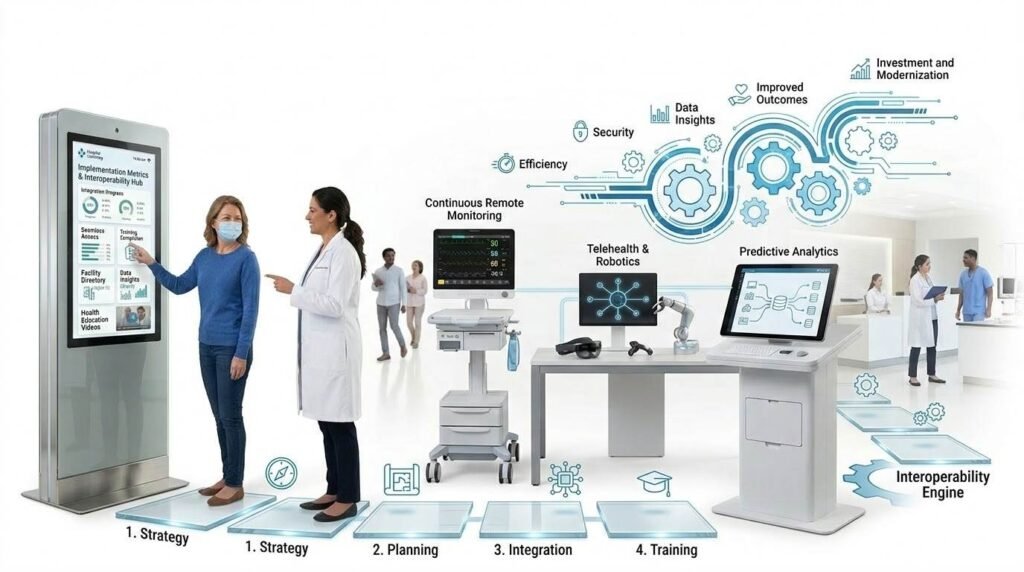
The current generation of digital signage and kiosk technology represents an early stage of a much broader transformation in how healthcare environments operate. The trajectory of development points toward deeper integration, greater personalisation, and more sophisticated use of data to optimise patient flow and clinical outcomes.
Integration with Hospital Information Systems and Electronic Medical Records
The full potential of kiosks and digital signage is realised when they are fully integrated with the Hospital Information System (HIS) and Electronic Medical Records (EMR) platform. Real-time data synchronisation means that when a patient checks in at a kiosk, their status is instantly updated across all relevant systems, triggering room preparation, clinician notification, and queue position updates simultaneously. This level of integration eliminates the manual coordination steps that currently create delays and errors between administrative and clinical workflows.
AI-assisted patient guidance and flow optimisation
Artificial intelligence applications in healthcare navigation are advancing rapidly. AI systems can analyse real-time patient flow data to predict congestion, dynamically redirect patients to alternative services or waiting areas, and provide personalised guidance based on a patient’s specific appointment type, mobility requirements, or language preference. At the signage level, AI can optimise content display based on the demographics of the patients currently in a waiting area, showing the most relevant health education content for the specific population present at any given time.
Mobile and kiosk hybrid patient journeys
An increasing number of facilities are developing patient journey experiences that begin on a smartphone before the patient arrives and continue seamlessly at an on-site kiosk upon arrival. Pre-registration, appointment confirmation, symptom questionnaires, and consent forms can be completed remotely, so that the kiosk check-in on arrival requires only a final confirmation step. This reduces physical contact at high-touch surfaces, shortens the in-facility journey, and allows patients who prefer digital engagement to complete more of their administrative requirements from home.
Data-driven operational improvement
Every interaction with a kiosk or digital signage system generates data that can be analysed to improve operations. Patient flow analytics can identify the times of day when check-in queues form, the departments that generate the highest volume of wayfinding requests, the content that patients engage with most in waiting areas, and the points in the patient journey where delays consistently occur. This data supports evidence-based operational decisions, staffing adjustments, and layout improvements that benefit both patients and staff.
Industry outlook: Research and market observations suggest that over 70 percent of hospitals are expected to deeply adopt integrated smart kiosk and signage systems in the coming years, reflecting a clear and accelerating shift toward intelligent, data-driven healthcare infrastructure.
Practical Guidance for Healthcare Facilities Considering These Technologies
For administrators and practice managers evaluating digital signage or kiosk solutions, the following considerations will help frame an effective procurement and implementation approach.
Key questions to ask vendors
- Does your system integrate with our existing HIS and EMR platforms, and what is the integration process?
- What accessibility features are included, and do they meet the standards required under the Equality Act 2010?
- How is patient data protected, and is the system compliant with UK GDPR and NHS data security standards?
- What is the typical implementation timeline, and what staff training is required?
- What ongoing support, maintenance, and content management services do you provide?
- Can the system scale to additional departments or sites as the facility grows?
Implementation success factors
- Staff engagement from the start: Frontline staff are more likely to support new technology when they are involved in the selection and design process. Their practical knowledge of patient flow and common pain points is invaluable input for system configuration.
- Patient communication before launch: Informing patients about new check-in procedures before they arrive reduces confusion and resistance. Clear signage explaining how to use the kiosk, combined with staff available to assist during the initial rollout period, significantly improves adoption rates.
- Phased rollout: Starting with a single high-volume department allows staff and patients to become comfortable with the technology before it is deployed across the facility, and allows the implementation team to identify and resolve issues at smaller scale.
- Regular performance review: Establishing baseline metrics for check-in times, queue lengths, and patient satisfaction before deployment, and tracking these metrics consistently after deployment, provides the evidence needed to demonstrate return on investment and identify areas for further improvement.
Conclusion
Digital signage and self-service kiosks are not simply convenience technologies. They are operational infrastructure that addresses some of the most persistent and impactful challenges in modern healthcare delivery. By automating routine administrative tasks, delivering real-time information, improving navigation, and enabling seamless integration with clinical systems, these technologies create measurable benefits for patients, staff, and healthcare organisations alike.
For patients, the result is a less stressful, more efficient visit with greater transparency about waiting times and clearer guidance throughout the facility. For staff, it is a shift away from repetitive administrative tasks toward more meaningful patient interaction. For healthcare administrators, it is improved throughput, reduced error rates, better data for operational decision-making, and a foundation for the intelligent, connected hospital of the future.
As these technologies continue to evolve, with deeper AI integration, mobile connectivity, and richer data analytics, the gap between facilities that have adopted them and those that have not will continue to widen. The question for most healthcare organisations is no longer whether to invest in digital signage and self-service kiosk technology, but how to do so in a way that maximises patient benefit and operational return.
Disclaimer
This article is provided for general informational and educational purposes only. It does not constitute professional medical, administrative, procurement, or technology advice. The capabilities, costs, and implementation requirements of digital signage and self-service kiosk systems vary significantly depending on the vendor, the healthcare setting, existing infrastructure, and regulatory environment. Statistics and case study outcomes cited in this article reflect published research and publicly available information at the time of writing. They may not be representative of outcomes in all settings. References to specific vendors or products are for illustrative purposes only and do not constitute an endorsement. Healthcare organisations should conduct thorough due diligence, including clinical governance review, data protection impact assessment, and staff engagement, before procuring and deploying any patient-facing technology system.
References and Resources
- Deloitte. (2022). 2022 Global Health Care Outlook: Are Health Systems Ready? Deloitte Insights. https://www2.deloitte.com/global/en/pages/life-sciences-and-healthcare/articles/global-health-care-sector-outlook.html
- Tai-Seale M, et al. (2017). Time allocation in primary care office visits. Health Services Research, 52(5), 1871-1894. https://doi.org/10.1111/1475-6773.12624
- Accenture. (2022). 2022 Consumer Survey on Patient Engagement. Accenture Health. https://www.accenture.com/us-en/insights/health/consumer-survey-patient-engagement
- Camacho F, et al. (2006). The relationship between patient satisfaction with care and patient outcomes. Evaluation and the Health Professions, 29(4), 409-420.
- Digital Signage Federation. Healthcare Digital Signage Best Practices. https://www.digitalsignagefederation.org
- Ikinor. Healthcare Digital Signage and Self-Service Kiosk Solutions. https://www.ikinor.com/healthcare-digital-signage
- AVIXA (Audiovisual and Integrated Experience Association). Healthcare AV Standards and Guidance. https://www.avixa.org
- NHS England. Digital Technology Assessment Criteria (DTAC). https://www.nhsx.nhs.uk/key-tools-and-info/digital-technology-assessment-criteria-dtac
- NHS Digital. Data Security and Protection Toolkit. https://www.dsptoolkit.nhs.uk
- Care Quality Commission (CQC). Patient Experience and Digital Health Guidance. https://www.cqc.org.uk
- Health Education England. Digital Literacy and Technology in Healthcare. https://www.hee.nhs.uk/our-work/digital-literacy
- Picker Institute Europe. Principles of Person-Centred Care. https://www.picker.org
- Equality and Human Rights Commission. Equality Act 2010: Guidance for Service Providers. https://www.equalityhumanrights.com/en/advice-and-guidance/equality-act-2010
- World Health Organization. Patient Safety and Quality of Care. https://www.who.int/teams/integrated-health-services/patient-safety