

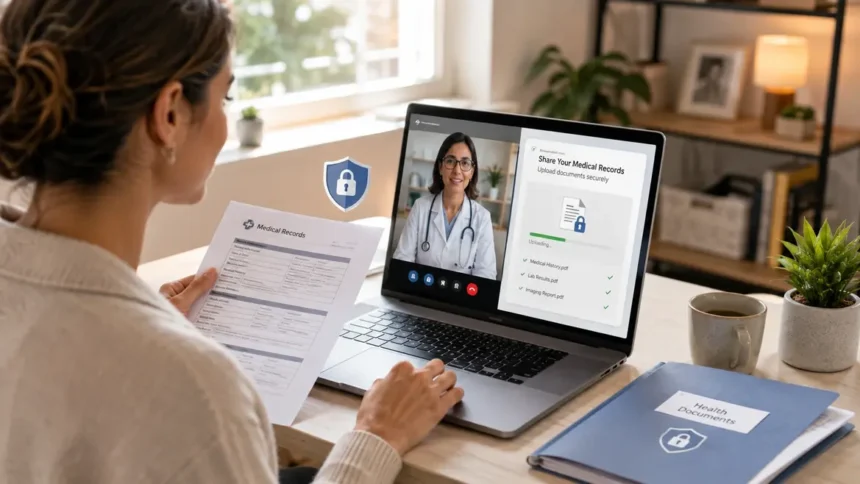
If you’re getting ready for a video doctor’s appointment, the practice may ask you for medical records or other documents beforehand. Here are ways to securely share records with your doctor before your telehealth appointment without oversharing information or sending it through an unsecure channel. Digital tools became ubiquitous in primary care. Over the last several years, online communication with providers through patient portals and apps has massively increased. For example, between 2020 and 2025, the number of messages sent to their providers via online patient portals more than doubled as digital medicine gained popularity, though sharing sensitive patient data can be challenging. By using the method your provider recommends, you will generally avoid complications, and your appointment will go more smoothly and safely.
Why You Should Send Medical Records Ahead of Your Telehealth Visit
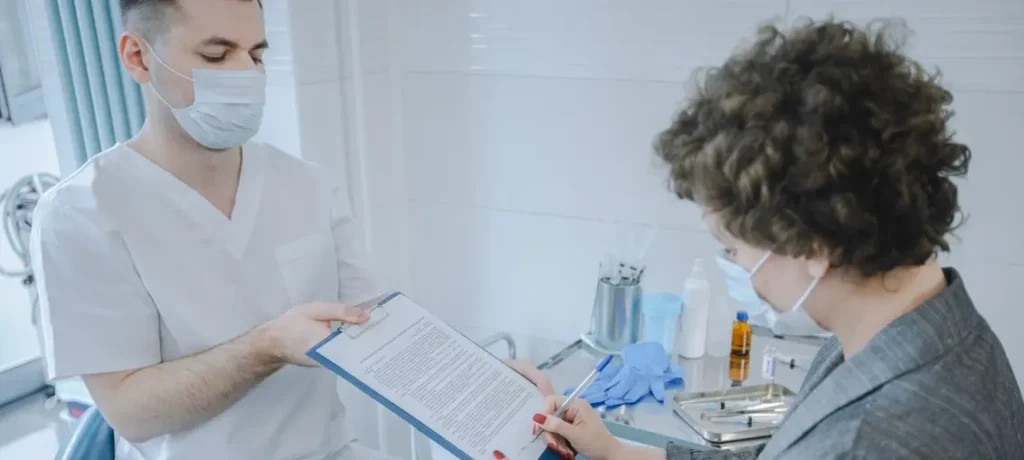
Telehealth is more effective when the provider has the right context
Your medical history is part of every diagnosis, drug, and follow-up your doctor prescribes for you. It is part of the context doctors see when they walk into the room to see you the first time. Some signs show that telehealth is shifting information sharing in this direction: if the right documents are in the doctor’s hands before you enter the room, then they are more interested in treating you than in hunting records. So, for chronic care management such as deciding on the best electrolyte drink for diabetes, lab test results and blood sugar logs from the office visit may be helpful.
That makes sending more not better
Overzealous documentation can mean bigger stacks of data and worse access to essential information for both clinic staff and doctors. Indeed, 88% of healthcare workers say that the time it takes to use paper documents and faxes to organize and relay patient information is harmful to patient care. Moreover, one in four medical practices does not have a digital fax solution integrated with their workflows to receive concise packets of information, which will typically be more helpful to your care team.
What to Ask the Clinic Before Sending Anything
Ask them which records they are seeking
Before you try to collect papers, call the clinic and ask what you need to have them do. Typically, you can clarify things with a few simple questions:
- What medical records should I bring for my appointment?
- How current do they need to be?
- Would you like detailed reports or just summaries?
- Do I need to provide lab or imaging results, a medication list, referral, or insurance form?
- What formats do you accept?
- What is the secure way to send them?
- What should I put for their name, date of birth, or date of appointment?
- What is the deadline for sending them?
Write those down. That short checklist will help you keep the files you collect focused and save time down the road.
Check whether the provider already has access
Some of your records may be available through a health information exchange or a patient portal. As government health systems and hospitals improve electronic patient record sharing, your records may flow automatically from facility to facility. Although some records can still be uploaded by the patient or sent directly with a signed release form, it is a good idea to check what the clinic has received.
Use the Delivery Method the Clinic Requests
A patient portal is the simplest solution, when available
Patient portals, designed for secure messaging and document upload, are usually connected directly to the clinic record system, making them an understandable choice for patients. It is not surprising, then, that the number of patient portal messages jumped 153% from 2020 to 2025. If you use a portal, name your files explicitly, and check if there is a file size limit.
Fax may still be requested for referrals, records, lab tests, and signed documents
Many clinics, specialists, imaging centers, and insurance plans prefer that referrals, outside records, or signed consent forms be sent via fax. If you are asked to fax outside records, make sure to obtain the exact fax number and cover sheet instructions for that clinic. Services such as iFax, a digital healthcare fax provider, provide secure workflows for healthcare organizations, including features such as encryption, audit trails, mobile faxing, scan-and-sign, electronic signature, optical character recognition and EHR integrations to enable healthcare teams to communicate securely with one another.
If you are sending referrals, other health care records, or signed paperwork before your telehealth appointment, a secure electronic fax is usually the best option. It’s not as secure to send documents with personal email or text message. If you do use email, fax, or a patient portal, make sure it is a method approved of by your provider, and confirm that your documents were received.
Never email or text unless the clinic has assured this method is safe
Taking a picture that you email to your doctor may seem convenient. But since commercial email and SMS text messages are seldom encrypted, you should never send medical information from your personal email or text messages unless your doctor tells you that such communications are secure and permitted. Privacy experts have said, however, that health data-sharing may expose patients unless systems can be verified. Healthcare platforms continue to be major targets of cybercrime, making usage of the secure channels provided by the clinic essential.
Prepare Your Files So Staff Can Review Them Quickly
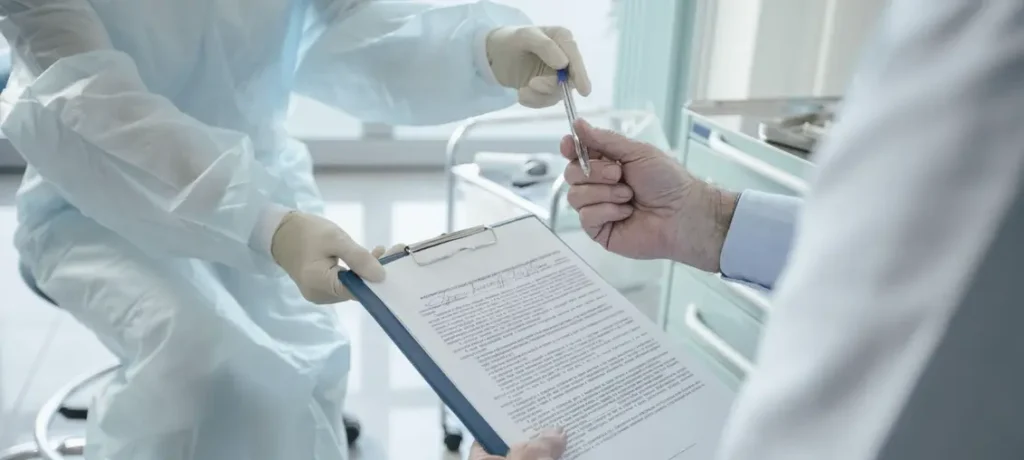
Remove unrelated pages and duplicate documents
Bring only what the clinic asks for at your next appointment. This means no unrelated test results, past due bills, duplicate pages, or other family members’ medical records. If sharing an extended medical record, consider forwarding only the most recent relevant pages, if possible, in coordination with staff.
Check accepted file formats and scan quality
Accepted formats are PDFs, JPG image files or whatever format works with the portal. PDF works best for multipage documents such as medication lists or discharge summaries. Scans should be upright. Please don’t take blurry phone photos; use a scanner instead. Clear documents are easier for your provider to review and understand.
Name files clearly
A logical file name helps clinic staff match your document to the correct chart. For example, Smith_Jane_LabResults_May2026.pdf, or Smith_Jane_MedicationList.pdf. Proper naming reduces the chance your message gets lost in the inbox with unrelated non-health messages.
Double-Check the Destination Before You Hit Send
Check for the correct fax number, portal, or upload link
Wrong-destination errors are a frequent occurrence in electronic document transmission. Always verify the name of the office, department, provider name, and the fax number or portal link prior to transmission. Determine whether a specific cover sheet or patient identifier is required so your files are appropriately managed by the staff.
Match your identifiers carefully
If the office requests your name, date of birth and date of appointment, provide them, but provide no more information than you need to. According to an often-cited industry publication, one of the largest HIPAA violations was a $2.5 million fine for sending faxes to the wrong number via a hospital’s fax machine.
Save Proof That You Sent Your Records
Retain confirmation receipts, screenshots, or portal notices
When sending in your paperwork, remember to save your fax confirmation pages or portal upload receipts and keep your secure messages’ timestamps as well. If an auto-receipt does not generate, take a screenshot of the successful upload screen to use as a receipt.
If there is no acknowledgment, follow up with the office
If you have an upcoming appointment and have not heard back, call. If you have not received confirmation that your documents were received, ask staff if they were attached to your chart. Occasionally there are sending errors. Industry reports state that lost transmissions and pages are leading to duplicate medical tests and delays in medical care. If you are missing pages, ask the staff to resend securely.
A Simple Comparison of Common Ways to Send Medical Records
| Method | Best For | Main Advantage | Watch Out For |
| Patient portal | Uploading records directly to your clinic | Usually secure and tied to your care team | File size limits or confusing upload steps |
| Secure clinic email | When the clinic specifically offers it | Convenient if approved by staff | Not all email is secure |
| Healthcare fax | Referrals, signed forms, outside records, test results | Commonly accepted by clinics and specialists | Must verify the exact fax number |
| Mail or in-person drop-off | Rare cases when digital options are unavailable | Useful for people with limited tech access | Slower and less practical before a telehealth visit |
| Personal email or text | Usually not recommended | Easy to use | May be insecure unless the clinic approves it |
Make Record Sharing Part of Your Telehealth Routine
Sending your medical history ahead of time doesn’t have to be frustrating. Ask what’s needed, use the clinic’s approved method, trim unrelated documents, confirm the destination, and save your proof of delivery. A few minutes of preparation can make your telehealth visit smoother and free your care team to focus on your health concerns.
Disclaimer
This article is provided for general informational and editorial purposes only. It does not constitute legal, regulatory, clinical, compliance, or professional advice, and it should not be relied on as a substitute for guidance from qualified counsel or a compliance professional familiar with your organization’s circumstances.
Regulatory requirements described here, including HIPAA rules and the Centers for Medicare and Medicaid Services rules referenced above, are subject to amendment, delay, litigation, and enforcement discretion. Effective dates and compliance deadlines cited are accurate to the sources listed below at the time of writing and may have changed since. Statistics drawn from surveys and industry indexes reflect the methodology and response rates of those instruments and are not audited measurements.
No endorsement of any vendor, product, or service is intended or implied by any link in this article. Readers should independently verify current requirements with the relevant agency before making operational, security, or purchasing decisions.
References
- Everson, J., and Richwine, C. (2025). Barriers to obtaining and using interoperable information among non-federal acute care hospitals. Journal of the American Medical Informatics Association, 32(1), 20 to 27. https://doi.org/10.1093/jamia/ocae263
- Strawley, C. E., Adler-Milstein, J., Holmgren, A. J., and Everson, J. (2025). New indices to track interoperability among US hospitals. Journal of the American Medical Informatics Association, 32(2), 318 to 327. https://doi.org/10.1093/jamia/ocae289
- Patel, M. P., Schettini, P., O’Leary, C. P., Bosworth, H. B., Anderson, J. B., and Shah, K. P. (2018). Closing the referral loop: An analysis of primary care referrals to specialists in a large health system. Journal of General Internal Medicine, 33(5), 715 to 721. https://doi.org/10.1007/s11606-018-4392-z
- Savoy, A., Khazvand, S., Mathew, A., Marcum Gilmore, A., Cottingham, E., Sangani, A., Weiner, M., and Damush, T. M. (2023). Consultants’ and referrers’ perceived barriers to closing the cross-institutional referral loop, and perceived impact on clinical care. International Journal of Medical Informatics, 180, 105265. https://doi.org/10.1016/j.ijmedinf.2023.105265
- Mehrotra, A., Forrest, C. B., and Lin, C. Y. (2011). Dropping the baton: Specialty referrals in the United States. The Milbank Quarterly, 89(1), 39 to 68. https://doi.org/10.1111/j.1468-0009.2011.00619.x
- Gandhi, T. K., Sittig, D. F., Franklin, M., Sussman, A. J., Fairchild, D. G., and Bates, D. W. (2000). Communication breakdown in the outpatient referral process. Journal of General Internal Medicine, 15(9), 626 to 631. https://doi.org/10.1046/j.1525-1497.2000.91119.x
- Ramelson, H., Nederlof, A., Karmiy, S., Neri, P., Kiernan, D., Krishnamurthy, R., Allen, A., and Bates, D. W. (2018). Closing the loop with an enhanced referral management system. Journal of the American Medical Informatics Association, 25(6), 715 to 721. https://doi.org/10.1093/jamia/ocy004
- Office of the Assistant Secretary for Technology Policy. (February 2026). Methods Used by Hospitals to Engage in Interoperable Exchange. Health IT Quick Stat No. 70. Washington, DC: U.S. Department of Health and Human Services. Source data: American Hospital Association Information Technology Survey, 2018 to 2025. https://healthit.gov/data/quickstats/methods-used-hospitals-engage-interoperable-exchange/ (No DOI assigned; U.S. government publication.)
- Department of Health and Human Services, Centers for Medicare and Medicaid Services. (March 24, 2026). Administrative Simplification: Adoption of Standards for Health Care Claims Attachments Transactions and Electronic Signatures. Final rule, CMS-0053-F. Federal Register, FR Doc. 2026-05676. Effective May 26, 2026; compliance required by May 26, 2028. https://www.federalregister.gov/documents/2026/03/24/2026-05676/administrative-simplification-adoption-of-standards-for-health-care-claims-attachments-transactions (No DOI assigned; U.S. government publication.)
- Department of Health and Human Services, Office for Civil Rights. (January 6, 2025). HIPAA Security Rule to Strengthen the Cybersecurity of Electronic Protected Health Information. Notice of proposed rulemaking, RIN 0945-AA22. Federal Register, 90(3), 898 to 1022. FR Doc. 2024-30983. https://www.federalregister.gov/documents/2025/01/06/2024-30983/hipaa-security-rule-to-strengthen-the-cybersecurity-of-electronic-protected-health-information (No DOI assigned; U.S. government publication.)
- Centers for Medicare and Medicaid Services. (2024). CMS Interoperability and Prior Authorization Final Rule, CMS-0057-F. Fact sheet. Baltimore, MD: U.S. Department of Health and Human Services. https://www.cms.gov/newsroom/fact-sheets/cms-interoperability-prior-authorization-final-rule-cms-0057-f (No DOI assigned; U.S. government publication.)
- CAQH. (February 2026). 2025 CAQH Index Report: Tracking Adoption of Fully Electronic Administrative Transactions. Washington, DC: CAQH. https://www.caqh.org/insights/caqh-index-report (No DOI assigned; industry benchmark report.)
- Institute for Healthcare Improvement and National Patient Safety Foundation. (2017). Closing the Loop: A Guide to Safer Ambulatory Referrals in the EHR Era. Cambridge, MA: Institute for Healthcare Improvement. https://www.ihi.org/library/publications/closing-loop-guide-safer-ambulatory-referrals-ehr-era (No DOI assigned; institutional publication.)