

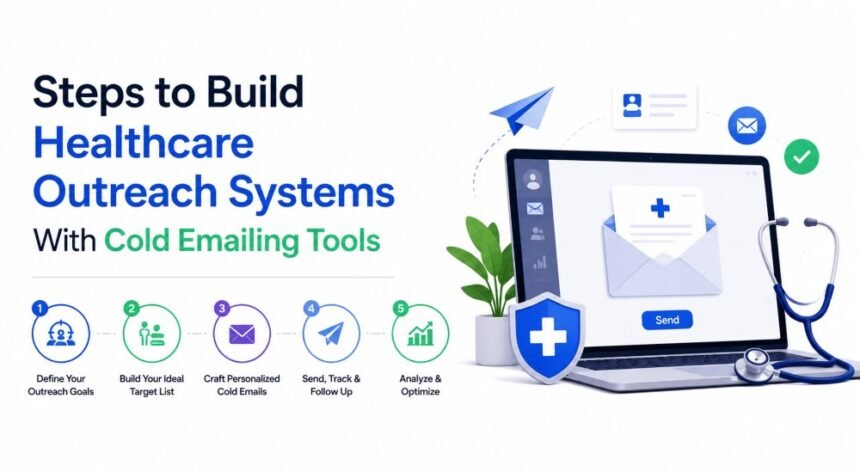
Healthcare outreach needs more care than ordinary B2B email. A badly managed campaign can damage a sender’s reputation, confuse recipients, or create privacy concerns. The answer is not simply better copy. Healthcare companies need clear targeting, secure data practices, reliable email infrastructure, and a process for handling every reply responsibly.
Here is how to build a healthcare outreach system that can grow without becoming careless or difficult to manage.
Decide Who the Outreach Is For
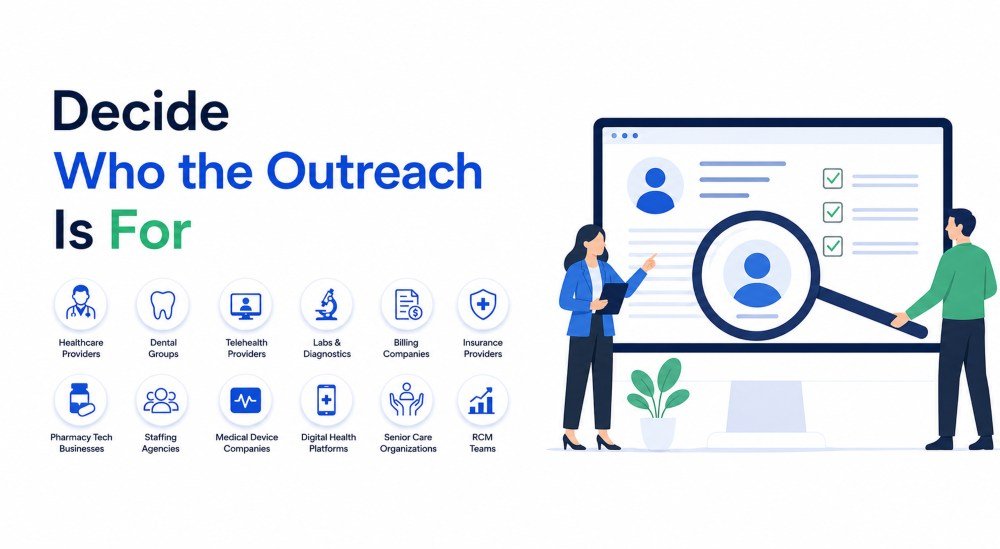
Before selecting software or writing an email, decide exactly who should receive the campaign.
Healthcare is a broad industry. A message written for a dental practice owner will not be equally relevant to a hospital technology director, medical billing manager, laboratory administrator, or telehealth founder.
Possible healthcare audiences include:
- Independent medical practices
- Dental groups
- Telehealth providers
- Diagnostic laboratories
- Medical billing companies
- Health insurance service providers
- Pharmacy technology businesses
- Healthcare staffing agencies
- Medical device companies
- Digital health platforms
- Senior care organizations
- Revenue cycle management teams
Create a narrow ideal customer profile for each campaign. Include the organization type, location, size, service model, likely problem, and job title of the person responsible for solving it.
For example, “healthcare businesses” is too broad. “US dental groups with five to twenty locations that need appointment scheduling support” gives the campaign a much clearer direction.
Separate Business Outreach From Patient Communication
Healthcare companies must distinguish between contacting business decision-makers and communicating with patients.
A cold email sent to the publicly listed business address of a clinic administrator is different from using patient information to promote a product or unrelated service.
HHS explains that communications encouraging recipients to purchase or use a product or service may be treated as marketing under HIPAA. Marketing that uses protected health information generally requires patient authorization unless a specific exception applies. Review the official HIPAA marketing guidance before using patient information for promotional communication.
A safer healthcare cold email campaign should normally use legitimate business information, such as:
- Public company websites
- Professional directories
- Public conference speaker pages
- Business networking platforms
- Trade association listings
- Public job advertisements
- Company press releases
- Publicly shared professional contact information
Do not export patient names, diagnoses, appointment histories, insurance information, treatment details, or portal data into a cold email platform.
Map the Healthcare Outreach Workflow
Strong outreach systems connect targeting, data, sending, reply handling, and reporting.
A basic healthcare outreach workflow may look like this:
Audience selection → business data collection → qualification → email verification → segmentation → sequence creation → campaign review → sending → reply handling → CRM update
Assign an owner to every stage.
| Stage | Main Task | Suggested Owner |
|---|---|---|
| Audience selection | Define suitable healthcare organizations | Sales manager or founder |
| Data collection | Find relevant business contacts | Research team |
| Qualification | Check whether each organization fits | Sales operations |
| Verification | Confirm email quality and remove risky records | Campaign manager |
| Messaging | Write role-specific healthcare emails | Writer or marketing team |
| Compliance review | Check privacy and advertising concerns | Compliance or legal adviser |
| Sending | Manage inboxes and campaign rules | Outreach manager |
| Replies | Respond and route enquiries | Sales representative |
| CRM updates | Record status and next steps | Sales operations |
| Reporting | Review results and problems | Campaign owner |
Without clear ownership, unsubscribe requests may be missed, duplicate messages may be sent, or interested prospects may wait too long for a reply.
Define a Useful Healthcare Offer
Healthcare decision-makers receive plenty of vague messages promising to increase revenue, reduce costs, or transform patient care.
Those claims are easy to ignore.
A stronger offer focuses on one specific operational issue. Examples include:
- Reviewing a clinic’s appointment booking process
- Identifying gaps in a medical billing workflow
- Showing how a telehealth platform could reduce support requests
- Providing a sample healthcare content plan
- Reviewing a practice website for patient-accessibility problems
- Sharing a short staffing comparison
- Demonstrating a medical software feature
- Providing an example of a secure intake workflow
- Reviewing local search visibility for a dental group
- Showing how claim follow-up could be organized
The offer should be easy to understand and connected to the recipient’s work.
A clinic manager is more likely to understand “reduce unanswered appointment calls” than “improve operational efficiency through innovative solutions.”
Check Whether a Vendor Is a Business Associate
A healthcare organization may use an external agency, CRM, software provider, or outreach service.
When a third party creates, receives, maintains, or transmits protected health information on behalf of a covered entity, it may be considered a business associate under HIPAA. HHS explains that covered entities generally need appropriate assurances and contractual protections before allowing business associates to handle protected health information. Read the official business associate requirements.
A standard software subscription agreement is not automatically a suitable Business Associate Agreement.
Before giving a provider access to sensitive information, ask:
- Will the provider receive protected health information?
- Why does it need that information?
- Can the work be completed without patient data?
- Does the provider sign a Business Associate Agreement when required?
- Are subcontractors involved?
- Where is the information stored?
- How is access monitored?
- How are security incidents reported?
- How is information deleted after the contract ends?
For most business-to-business cold outreach campaigns, patient information should not be needed at all.
Choose Tools Based on Healthcare Requirements
The best cold email software should fit the organization’s workflow, team size, security needs, and target market.
Do not select a platform only because it can send a high number of emails. Healthcare companies should also examine how the tool stores information and controls access.
Useful features may include:
- Team access controls
- Multiple inbox management
- Email verification
- Automatic bounce removal
- Duplicate contact detection
- Reply detection
- Global unsubscribe lists
- CRM integrations
- Custom fields
- Activity logs
- Data export
- Secure user authentication
- Campaign approval controls
- Role-based permissions
- Data retention settings
Ask the provider where campaign data is stored, who can access it, how it is protected, and how it can be removed.
A cold email tool should not be used as a patient record system. Even when a platform offers strong security, only the information needed for the business outreach campaign should be entered.
Collect Only the Data the Campaign Needs
A healthcare campaign aimed at clinic owners may only need:
- Contact name
- Professional title
- Organization name
- Business email
- Company website
- Location
- Practice type
- Publicly visible business signal
- Source of the contact information
- Date collected
- Email verification status
- Campaign status
It does not need a person’s medical history, patient account information, insurance details, or other health data.
HHS describes the minimum necessary standard as limiting certain uses, disclosures, and requests for protected health information to what is reasonably needed for a particular purpose. Although its exact application depends on the situation, the principle is useful for designing safer healthcare workflows.
Every extra field creates another piece of information that must be protected, reviewed, updated, and eventually removed.
Verify Contacts Before Starting a Campaign
Outdated healthcare business data can quickly damage an email campaign.
Staff members change practices. Clinics merge. Job responsibilities shift. Old inboxes stop accepting messages. A hospital department may use a completely different contact structure after a system change.
Before adding a contact to a campaign:
- Confirm that the organization still operates
- Check that the person still works there
- Review the person’s current role
- Verify the business email address
- Remove duplicate records
- Record where the information came from
- Check whether the person previously opted out
- Confirm that the offer is relevant to the organization
Verification can reduce avoidable bounces, but it cannot confirm that a contact is suitable. Qualification and verification should remain separate steps.
Build Healthcare Segments Around Real Needs
Do not place every healthcare prospect into the same sequence.
A practice owner, hospital IT director, billing manager, and dental marketing lead face different problems.
Useful segments may include:
| Healthcare Audience | Suitable Outreach Topics |
|---|---|
| Medical Practices | Scheduling support, patient intake, billing assistance, website usability, administrative staffing, and appointment management. |
| Dental Groups | Local search visibility, appointment confirmations, missed-call management, treatment-page content, patient follow-up, and multi-location operations. |
| Telehealth Companies | Secure platform development, patient technical support, clinician onboarding, accessibility, software testing, and virtual care workflows. |
| Medical Billing Companies | Staffing support, billing workflow software, denial management, reporting, content marketing, lead generation, and claim follow-up. |
| Health Technology Providers | Software development, cybersecurity, system integrations, quality assurance, healthcare content, technical support, and sales assistance. |
| Laboratories | Physician outreach, secure results systems, logistics coordination, staffing, digital communication, and referral management. |
Segmentation makes the message more useful and makes campaign reporting easier to understand.
Write Emails That Respect Healthcare Readers
Healthcare professionals often work under time pressure. Their inboxes contain clinical updates, administrative requests, staffing problems, vendor messages, and patient-related communication.
Cold emails should therefore be brief and specific.
A practical first email usually includes:
- A clear subject line
- An honest introduction
- A relevant observation
- One healthcare problem
- A short explanation of the offer
- One simple next step
- A clear opt-out method
Avoid exaggerated claims such as:
- Guaranteed patient growth
- Instant revenue increases
- Complete HIPAA compliance
- Risk-free healthcare marketing
- Guaranteed insurance approvals
- Perfect medical data security
No software, agency, or service provider should promise complete compliance or guaranteed outcomes without understanding the organization’s actual systems and responsibilities.
Use Clear Healthcare Language
Healthcare emails should sound professional without becoming difficult to read.
The CDC’s Clear Communication Index is a research-based tool for assessing public communication materials. Its principles encourage communicators to make the main message clear, use familiar words, explain actions, and organize information so readers can understand it.
For cold outreach, that means replacing vague phrases with direct language.
Instead of:
We provide innovative solutions that optimize patient engagement across the healthcare ecosystem.
Write:
We help multi-location clinics answer appointment requests and follow up with patients during normal US business hours.
The second version tells the reader what the service actually does.
Do Not Include Sensitive Patient Details
Cold outreach messages should not mention a person’s diagnosis, treatment, medication, appointment, test result, insurance status, or other private medical information.
This rule applies to subject lines as well as the message body.
A subject line such as “Help with your diabetes treatment” may expose sensitive information to anyone who can view the recipient’s screen or inbox preview.
Even routine healthcare email requires careful handling. HHS notes that covered healthcare providers may communicate with patients by email, but they should apply reasonable safeguards based on the nature of the information and the patient’s preferences.
Cold business outreach should remain separate from treatment communication, appointment reminders, clinical follow-up, and patient support.
Protect Email Infrastructure
A healthcare company’s domain carries trust. Patients, providers, laboratories, insurers, and business partners may all depend on its email.
Poor outreach practices can affect that trust.
Email authentication should include appropriate use of:
- SPF
- DKIM
- DMARC
- Secure administrator accounts
- Multi-factor authentication
- Controlled sending permissions
- Domain monitoring
- Regular access reviews
NIST’s Trustworthy Email guidance explains how SPF, DKIM, DMARC, and transport security can support more trustworthy email systems.
Authentication does not guarantee inbox placement, and it does not make an unwanted campaign acceptable. It helps receiving systems verify domain use and gives organizations more control over email sent on their behalf.
Avoid Risking the Main Clinical Domain
The main domain may be used for:
- Patient portal notifications
- Appointment communication
- Laboratory coordination
- Staff messages
- Referral communication
- Billing notices
- Insurance correspondence
- Password resets
- Security alerts
Cold outreach should not interfere with these essential messages.
Some organizations use a separate but clearly connected domain or subdomain for business development. This can create operational separation, but the alternative domain must still be authentic, properly configured, and connected to the real organization.
Do not use misleading domains that imitate another healthcare company or hide the sender’s identity.
Follow Commercial Email Rules
Healthcare businesses must follow the commercial email rules that apply in each target market.
In the United States, the FTC’s CAN-SPAM compliance guide explains requirements such as accurate sender information, non-deceptive subject lines, a valid physical address, an opt-out method, and timely processing of unsubscribe requests. A company can remain responsible when another provider sends messages on its behalf.
Software does not make a campaign lawful automatically.
Before sending, check:
- Where the sender is located
- Where recipients are located
- Whether the message is commercial
- How the contact data was obtained
- Whether consent is required
- What sender information must appear
- How quickly opt-outs must be processed
- How campaign records should be retained
International campaigns may involve privacy and direct-marketing rules beyond US requirements.
Create a Global Suppression Process
An unsubscribe request should apply across the entire healthcare outreach operation.
A contact should not be removed from one campaign and then added to another because two teams use different spreadsheets.
Maintain a central suppression list covering:
- Unsubscribe requests
- Spam complaints
- Legal objections
- Invalid addresses
- Organizations that requested no contact
- Contacts marked as inappropriate
- Former patients who should not receive marketing
- Internal staff addresses
- Existing clients excluded from prospecting
The suppression list should be checked before every upload and campaign launch.
Use Short, Relevant Sequences
Healthcare buyers do not need eight automated reminders.
A simple sequence may include:
- A relevant opening email
- A follow-up with a practical example
- A short proof point or resource
- A respectful closing message
Each email should add useful information.
Avoid repeating “just checking in” without giving the recipient another reason to respond.
Automation should stop immediately when:
- The contact replies
- The address bounces
- The person opts out
- A colleague at the same organization begins a conversation
- The company becomes an active client
- The contact is no longer relevant
- A complaint is received
- A manual sales process begins
Test these stopping rules before starting a live campaign.
Prepare for Different Types of Replies
Not every useful response is a meeting request.
Healthcare prospects may say:
- Speak with our practice manager
- Contact us after the next budget cycle
- We already have a provider
- Send security information
- Do you sign a Business Associate Agreement?
- Which healthcare clients have you worked with?
- Remove us from your list
- We do not handle this function
- Contact our compliance department
Create an action for each reply type.
| Reply Type | Recommended Action |
|---|---|
| Interested | Assign a sales owner and respond promptly |
| Referral | Verify the new contact before reaching out |
| Security question | Send approved security documentation |
| Compliance question | Route to an authorized team member |
| Later | Create a dated CRM task |
| Not interested | End the sequence |
| Unsubscribe | Add to the global suppression list |
| Complaint | Stop contact and review the campaign |
| Wrong contact | Correct or remove the record |
Do not allow AI to answer detailed legal, clinical, privacy, or security questions without human review.
Keep Protected Information Out of the CRM
A sales CRM should not become an informal patient database.
Sales representatives should record business information such as:
- Organization name
- Professional contact
- Business need
- Product interest
- Meeting date
- Sales stage
- Agreed follow-up
- Contract status
They should not record unnecessary health information about a prospect, employee, patient, or family member.
The HIPAA Security Rule requires regulated entities to use administrative, physical, and technical safeguards for electronic protected health information. The official HIPAA Security Rule summary provides an overview of these responsibilities.
Access should also be removed promptly when an employee, contractor, or agency no longer works on the campaign.
Review Health App and Consumer Data Risks
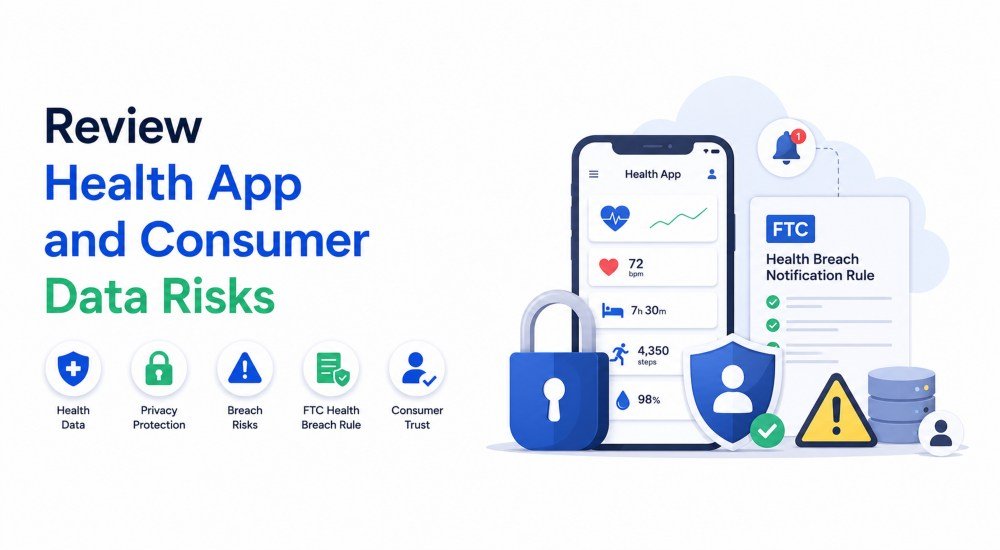
Not every healthcare business is covered by HIPAA in the same way.
Health apps, wearable platforms, symptom trackers, wellness tools, and other consumer health technologies may fall under different privacy and breach rules.
The FTC’s Health Breach Notification Rule guidance explains that certain organizations handling identifiable health information may have notification duties after a breach. The rule was updated to clarify its application to many health apps and similar technologies.
A company should not assume it has no health-data responsibilities simply because it is not a hospital or traditional medical practice.
Track Metrics That Reflect Real Healthcare Opportunities
High email volume does not prove that a campaign is working.
Track metrics such as:
- Valid delivery rate
- Hard-bounce rate
- Unsubscribe rate
- Complaint rate
- Positive reply rate
- Referral rate
- Qualified healthcare conversations
- Meetings booked
- Security questionnaires requested
- Proposals sent
- Opportunities created
- Clients gained
- Performance by healthcare segment
- Performance by service offered
- Human response time
Also review negative feedback. A campaign that books meetings but creates repeated privacy concerns needs immediate attention.
Review Campaigns Before They Go Live
Healthcare outreach should have a documented approval process.
Before launching, confirm:
- The audience is appropriate
- The offer is relevant
- Contact information came from acceptable sources
- Patient information is not included
- Email addresses were verified
- Authentication is working
- Unsubscribe handling has been tested
- The suppression list is current
- Sender identity is accurate
- Claims can be supported
- Replies will reach a monitored inbox
- Security and compliance questions have an owner
- CRM fields do not request sensitive health information
Send internal test emails to check formatting, links, sender names, reply routing, and unsubscribe processing.
Common Mistakes in Healthcare Cold Outreach
| Common Mistake | Why It Creates a Problem |
|---|---|
| Using Patient Data for Prospecting | Patient information should not be moved into a sales tool simply because it already exists inside the organization. |
| Making Unsupported Medical Claims | Do not claim that a product improves clinical outcomes unless the statement is accurate, properly supported, and permitted under applicable rules. |
| Promising Complete Compliance | A software platform can support security or privacy processes, but it cannot make an entire healthcare organization compliant by itself. |
| Sending Every Campaign From the Main Domain | Poor-quality outreach can affect an email environment used for important clinical and administrative communication. |
| Treating Every Healthcare Organization the Same | A dental practice, laboratory, insurer, and health technology company have different needs, responsibilities, and decision-making processes. |
| Allowing Automation to Continue After a Reply | A follow-up sent after someone has already responded makes the outreach process look careless and poorly managed. |
| Giving Too Many People Access | Researchers, writers, sales representatives, agencies, and freelancers should only receive the access required for their specific roles. |
| Ignoring Vendor Security | A low-cost tool can become expensive if it exposes confidential business information, patient data, or internal healthcare systems. |
Start With One Carefully Chosen Campaign
Do not begin by contacting thousands of healthcare organizations.
Start with:
- One healthcare segment
- One clearly defined problem
- One relevant offer
- One verified contact list
- One short email sequence
- One trained sales owner
- One reporting dashboard
- One documented compliance review
Read every early reply. Look for misunderstanding, concern, and hesitation as well as interest.
Those responses show whether the targeting and offer make sense—correct problems before increasing volume or adding more inboxes.
Building a Safer Healthcare Outreach Engine
Cold emailing tools can help healthcare companies organize business development, but they should never replace judgment.
A dependable system reaches appropriate professional contacts, uses only necessary information, protects the organization’s email reputation, respects opt-out requests, and keeps patient data outside the prospecting workflow.
The goal is not to send the greatest number of messages. It is to start relevant conversations with healthcare organizations that may genuinely benefit from the service.
That kind of system grows more slowly at first, but it is easier to manage, easier to improve, and far less likely to damage the trust that healthcare businesses depend on.
Frequently Asked Questions
| Question | Answer |
|---|---|
| Can Healthcare Companies Use Cold Email? | Healthcare companies can use cold email for legitimate business outreach, subject to applicable marketing, privacy, advertising, and data-protection rules. Contacting business decision-makers is different from using patient data for marketing. Organizations should review the rules that apply to their location, audience, and data sources. |
| Can Patient Email Addresses Be Added to a Cold Email Tool? | Patient email addresses should not be moved into a cold outreach platform without a clear lawful purpose, appropriate safeguards, and any required authorization. Patient communication and business prospecting should be kept in separate systems. |
| Does a Cold Email Platform Need to Be HIPAA Compliant? | That depends on how the platform is used and whether it creates, receives, maintains, or transmits protected health information. The safer approach is to keep protected health information out of cold email tools. When a provider handles such information, the healthcare organization should assess HIPAA responsibilities and contractual requirements. |
| Which Healthcare Audiences Can Be Targeted? | Possible B2B audiences include medical practices, dental groups, laboratories, telehealth companies, billing providers, healthcare staffing agencies, health software companies, and senior care organizations. Each campaign should use separate messaging based on the audience’s actual responsibilities. |
| What Should Be Included in a Healthcare Cold Email? | Include an accurate introduction, a relevant business problem, a short explanation of the offer, one clear next step, and an easy opt-out method. Do not include patient details, unsupported treatment claims, or misleading compliance promises. |
| How Many Emails Should a Healthcare Company Send? | There is no universal safe number. Volume should be based on list quality, domain history, mailbox-provider requirements, recipient feedback, and the team’s ability to respond properly. Begin with a small, relevant list and increase volume only after confirming that the process works correctly. |
Disclaimer: This article is for general informational purposes only and does not constitute medical, legal, privacy, cybersecurity, or regulatory advice. Healthcare marketing, HIPAA, commercial email, data protection, vendor management, and breach-notification requirements vary according to the organization, information involved, location, and type of recipient. Healthcare organizations should review current official guidance and consult qualified professionals before launching an outreach campaign.