


Nobody searches for a Trainerize alternative because the software is bad. They search because they opened the invoice, added up the add-ons, and realized the number no longer matches the business they are running.
That is a different problem from “this platform is broken,” and it deserves a different kind of answer. What follows is an account of what Trainerize does well, where the friction actually sits, and which platforms solve which specific version of the problem. It also spends time on the one thing almost every comparison in this category gets wrong, which is what a “branded app” really costs and why.
A note on the numbers before we start. Coaching platform pricing changes often, published third-party figures contradict each other constantly, and several of the numbers circulating in comparison articles trace back to competitors’ own marketing pages rather than to anyone’s actual pricing page. Everything below reflects publicly listed rates as of August 2026. Verify against the vendor’s live pricing page before you commit to anything. There is a short section at the end on how to do that in about ten minutes.
What Trainerize Actually Gets Right

Credit first, because a comparison that opens with a hatchet job is not worth reading.
The exercise library and program builder are the deepest in the category, built over more than a decade, with video demonstrations across a wide range of modalities. The client-facing app is reliable and rates consistently well on both iOS and Android, which matters more than coaches expect: the app your client opens is the product, as far as they are concerned. Native integrations with MyFitnessPal, Apple Health, and Fitbit cover most client data needs without custom work. The free tier for a single client never expires, and there is a 30-day trial of the paid plans.
And at the top of the range, Studio Plus at $248 per month bundles everything cleanly. For an operation running 30 to 150 clients that wants a mature, workout-first platform with real support behind it, that is a perfectly rational purchase.
Where Coaches Hit The Wall
The complaints are consistent enough to be structural rather than anecdotal.
- The add-on stack. The headline plan is not the plan you end up on. Advanced nutrition coaching runs $20 to $45 per month depending on tier. Integrated payments add roughly $10. The custom branded app carries a one-time setup fee plus your own annual developer account costs. A solo coach on Pro 50 who wants nutrition and payments switched on lands somewhere around $175 per month, against a Pro 50 base in the $120 range. Nothing dishonest is happening here, but the sticker price and the real price are different conversations.
- The trial does not simulate the job. Thirty days is generous on paper. The client cap during the trial means a coach with an existing roster cannot load a realistic workload in and see how the thing behaves under actual conditions.
- The all-inclusive tier is priced for buildings, not people. Studio Plus is the one plan where the add-on math disappears. It is also $248 per month and structured per location. For an independent trainer with 25 to 50 clients, that gap between “Pro plus add-ons” and “Studio Plus” is the whole frustration in one line.
Worth keeping in perspective: the U.S. Bureau of Labor Statistics puts median pay for fitness trainers and instructors at $46,180, with the occupation projected to grow 12 percent through 2034. Industry surveys put the typical trainer’s hourly rate around $27. A $200 monthly software bill is not trivial against those numbers. It is a meaningful slice of a working coach’s margin, which is exactly why this category generates so much switching.
Branded App Question Nobody Explains Properly
This is where most comparison content, including a lot of it written by the platforms themselves, quietly misleads people.
Every vendor in this space advertises a “branded app.” That phrase covers two completely different products.
The first is in-app theming: your logo, your colors, your name inside an app that is still technically the vendor’s. Your client downloads the vendor’s app and finds your brand inside it. This is cheap to provide and usually sits on a mid-tier plan.
The second is a standalone white-label listing: a separate app in the App Store and Google Play under your business name, which your client finds by searching for you. This is the thing coaches actually picture when they hear “branded app.”
Here is the part that explains all the setup fees. Apple’s App Store Review Guidelines, rule 4.2.6, state that apps created from a commercialized template or app generation service will be rejected unless they are submitted directly by the provider of the app’s content. Apple revised that rule in 2017 after the original wording caught small businesses in the crossfire, but the requirement stands: the developer account has to be yours, not your software vendor’s.
So no platform can simply publish an app for you. You need an Apple Developer Program membership at $99 per year, a Google Play developer account at $25 one-time, and usually a D-U-N-S number for your business. Those costs are yours regardless of which vendor you pick. Any comparison presenting developer account fees as a black mark against one platform is not comparing like with like, because every standalone white-label app carries them.
Judge vendors on their own setup fee and which tier gates the standalone app. Not on Apple’s fees, which are a constant.
Five Alternatives Worth Your Time
1. FitBudd
Best for: Coaches who want a standalone App Store listing and process meaningful payment volume.
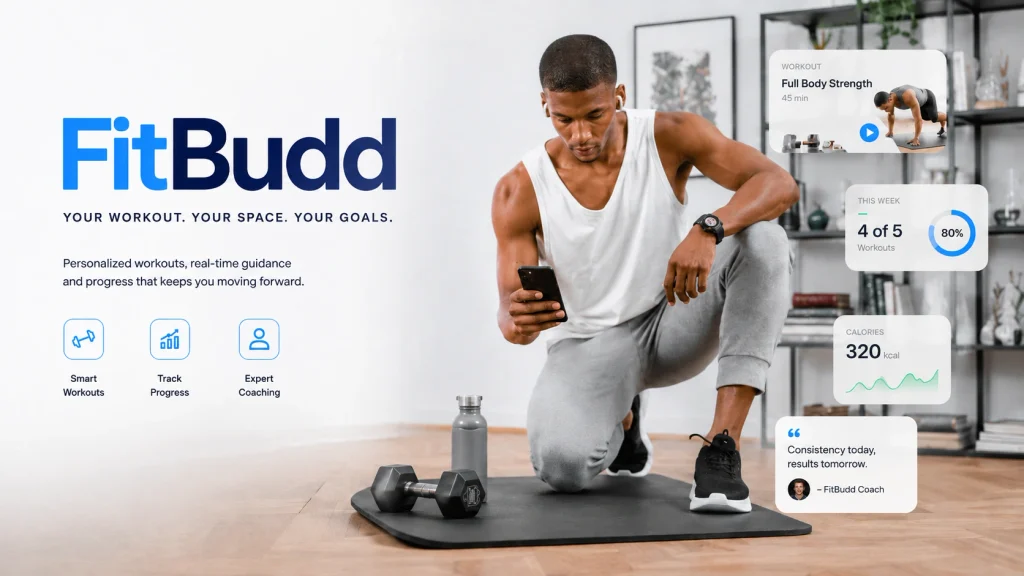
FitBudd is built around the white-label app. Pricing runs from $15 per month on Starter for 2 clients, to $79 on Pro for 20 clients, to $149 on Super Pro for 20 clients, with additional clients at $2 each above the tier limit on the paid plans. Elite is quote-based.
Read the tiers carefully, because this is where the marketing across the whole category gets loose. Pro gets you branded in-app theming. The genuine standalone App Store and Play Store listing sits on Super Pro and carries a one-time $75 setup fee on top, plus the Apple and Google developer accounts described above.
Payments run through Stripe and PayPal at zero platform commission, which is the claim most worth understanding precisely. It does not mean free. You still pay your processor: Stripe’s standard US rate is 2.9% plus 30 cents per transaction. What zero platform commission means is that FitBudd takes nothing on top of that. Against a platform charging its own percentage on client billing, that difference compounds fast at volume. Against a platform that simply lets you connect your own Stripe account, it is a wash.
- Pros: Standalone white-label listing without studio-tier pricing; $2 per additional client keeps roster growth cheap; no platform cut on payments.
- Cons: The standalone app is gated to the $149 tier, not the $79 one; smaller community and thinner integration ecosystem than Trainerize or TrueCoach. Learn more about how the tiers are structured before assuming which one you need.
2. PT Distinction
Best for: Coaches who want every feature included at every tier, full stop.
PT Distinction runs a flat model where features are not gated by plan. Listed pricing starts around $19.90 per month and runs to roughly $89.90 for a 50-client, everything-included setup, with additional clients above 50 adding a small per-client amount. Branded apps are included on the Pro and Master plans rather than sold separately. The free trial is a full month, the longest in the category.
- Pros: No add-on stack; independently owned since 2010, which shows up in how fast support responds; strongest price-to-feature ratio in this list on paper.
- Cons: The interface feels dated next to Trainerize or TrueCoach; weaker brand recognition, which matters if you are using platform polish as a selling point to clients. Check independent review aggregators rather than the comparison page on their own site, which is marketing.
3. TrueCoach
Best for: Coaches who care about client-side simplicity above everything else.
TrueCoach consistently wins on the experience your client actually has. Coaches migrating from heavier platforms frequently report that clients navigate it correctly on day one without a walkthrough. A 3,000-plus exercise video library, solid compliance tracking, and a 14-day trial with no card required.
- Pros: Best client interface in the category; strong adherence tracking.
- Cons: No standalone branded listing, so your clients always see TrueCoach branding. No built-in website builder. Payment processing is limited to a handful of countries. Most importantly, TrueCoach Payments is widely reported to carry a platform fee on client billing, in the region of 5 percent, on top of processing. Terms reportedly changed in early 2026. Confirm the current transaction fee directly with TrueCoach before committing, because at $4,000 a month in client billing a 5 percent platform cut is $2,400 a year, which dwarfs any subscription difference in this entire comparison.
4. Everfit
Best for: Coaches who want to start free and lean on AI programming.
Everfit’s free plan covers up to 5 clients with no card and no expiry, which is the lowest barrier to entry here. The AI program builder is among the more genuinely useful implementations in the category, generating workable training skeletons from basic inputs. Autoflow automation handles check-in sequences well.
- Cons, and they are significant: the standalone branded app is gated to very large rosters, well beyond what a solo coach will reach. Meal planning, automation, and payments are all add-ons, which stacks the real cost toward the $197 range at 50 clients. If the add-on model is the reason you are leaving Trainerize, Everfit reproduces it.
5. My PT Hub

Best for: Coaches past roughly 40 clients who want costs to stop scaling.
My PT Hub’s unlimited flat-rate model is the structural opposite of per-client pricing, and it gets more attractive with every client you add. Premium unlimited plans run roughly $59 to $105 per month depending on billing cycle, with lower effective rates on annual terms.
- Pros: Roster growth does not move the bill; long track record with high-volume coaches; payment processing included.
- Cons: The program builder is slower than most competitors here; AI tooling lags Everfit and PT Distinction; the branded app requires a higher tier or a separate add-on.
What You Actually Pay At Fifty Clients
Structure matters more than sticker price, so this table shows both. Figures are listed rates as of August 2026, before one-time fees and before the Apple and Google developer costs that apply to any standalone app.
| Platform | What 50 clients requires | Listed monthly | Standalone App Store listing | Platform cut on payments |
| Trainerize | Pro 50 plus nutrition and payments add-ons | ~$175 | One-time setup fee, Pro tier and up | $10/mo add-on |
| FitBudd (Pro) | $79 base plus 30 clients at $2 | ~$139 | Not on this tier | Zero platform commission |
| FitBudd (Super Pro) | $149 base plus 30 clients at $2 | ~$209 | Yes, plus $75 one-time setup | Zero platform commission |
| PT Distinction | All-inclusive tier | ~$89.90 | Included on Pro and Master | Your own processor |
| TrueCoach | 50-client tier | ~$137 | Not available | Reported ~5%, verify |
| Everfit | Paid tier plus add-ons | ~$197 | Very large rosters only | Add-on required |
| My PT Hub | Premium unlimited | ~$59 to $105 | Higher tier or add-on | Included |
Read that table twice, because the cheapest line is not the answer for most people. PT Distinction has the lowest all-in monthly cost by a clear margin. FitBudd on Pro undercuts Trainerize by roughly $36 a month with no platform cut on payments, and FitBudd on Super Pro costs more than Trainerize but delivers a standalone listing without studio-tier commitment. My PT Hub wins outright if your roster is heading past 60 or 70.
The variable that swamps all of this is the platform cut on payments. A subscription difference of $50 a month is $600 a year. A 5 percent platform fee on $5,000 of monthly client billing is $3,000 a year. Work out your own payment volume before you compare a single subscription price.
Matching The Platform To The Business
- Solo coach, 20 to 50 clients, cost-sensitive. PT Distinction on price, FitBudd Pro if you want zero platform commission and cheap roster growth. Both beat Trainerize-plus-add-ons on monthly cost.
- Solo coach who needs their own App Store listing. FitBudd Super Pro or PT Distinction’s Pro tier. Budget the $99 Apple fee and $25 Google fee regardless of which you choose.
- Small studio, multiple trainers. My PT Hub’s unlimited model or Trainerize Studio Plus. At this scale, per-client pricing is the enemy and staff management tooling starts to matter more than sticker price.
- Client experience above all. TrueCoach, provided you have confirmed the current payment fee and can live without a branded listing.
How To Verify Any Of This Before You Switch
Ten minutes, four steps, and you will know more than any comparison article can tell you.
Open each vendor’s own pricing page and screenshot it, because that is the only source that binds them. Add up your actual configuration rather than the headline tier: your client count, plus every feature you genuinely use. Ask support two direct questions in writing, namely what the platform’s cut on client payments is and which tier the standalone app sits on. Then cross-check the review picture on independent software directories rather than on any vendor’s comparison page, including the ones that rank well for this search.
Every platform in this category is somebody’s right answer. The trick is knowing which parts of the pitch are load-bearing and which parts are decoration, and the fastest way to tell is to make them put the number in writing.
Disclaimer: All pricing reflects publicly listed rates as of August 2026 and is subject to change without notice. This article is independent commentary and is not affiliated with or endorsed by any platform named other than where disclosed. Confirm current pricing, payment terms, and feature availability directly with each vendor before purchasing.
References
- U.S. Bureau of Labor Statistics. Fitness Trainers and Instructors. Occupational Outlook Handbook. Washington, DC: U.S. Department of Labor. Available at: https://www.bls.gov/ooh/personal-care-and-service/fitness-trainers-and-instructors.htm
- IDEA Health & Fitness Association. The State of the Fitness Job Market. Available at: https://www.ideafit.com/the-state-of-the-fitness-job-market-in-2025/
- Apple Inc. App Store Review Guidelines, section 4.2.6. Apple Developer. Available at: https://developer.apple.com/app-store/review/guidelines/
- Perez, S. Apple revises its guidelines on template-based apps, now requires businesses to have their own developer accounts. TechCrunch, 20 December 2017. Available at: https://techcrunch.com/2017/12/20/apple-revises-its-controversial-guidelines-on-template-based-apps/